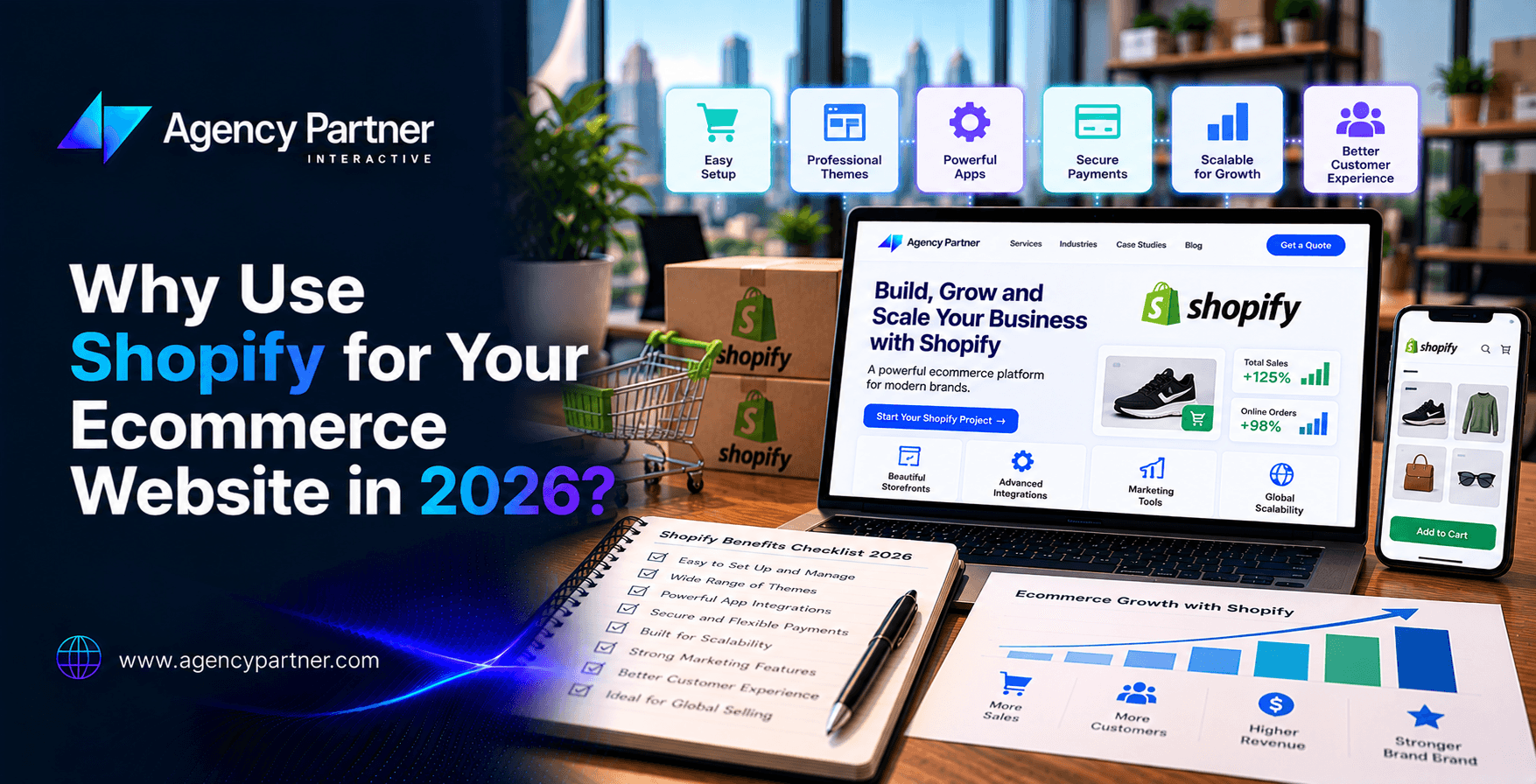
A new online store needs more than an attractive homepage. It needs a dependable way to manage products, accept payments, process orders and keep customer information organized. Shopify brings those functions into a hosted commerce platform, which can make daily store operations easier to manage.
Why use Shopify? It is worth considering when you want established selling tools without managing a separate commerce server stack. The decision still depends on your products, payment options, operating costs and the workflows your business requires.
This guide explains the benefits of Shopify, the limitations to check and the questions to answer before committing to a build or migration.
What is Shopify, and who is it suited to?
Shopify is a commerce platform for managing a store and its selling operations. For a conventional online storefront, choose a plan that supports the website and checkout capabilities you need. Product, order and customer administration sit within the same system, while themes and extensions help shape the experience.
It can suit a small team launching its first store, an established retailer bringing more operations online or a business connecting online and in-person selling. Fit depends on requirements rather than company size alone.
A Shopify store is different from a listing on a marketplace. You still need to attract customers and manage your brand experience. Our ecommerce platform versus marketplace guide explains that distinction.
1. Manage the store without building every commerce function
Many retailers need familiar capabilities: a product catalogue, checkout, orders, discounts and customer records. Starting with established tools can reduce the amount of bespoke software the team must commission.
The practical benefit is a more focused setup project. You can spend time preparing products, defining fulfilment rules and testing shopping journeys rather than recreating standard commerce functions.
Hosted software still needs responsible management. Someone must maintain product information, review app access, test changes and handle customer issues. If your team needs help defining those responsibilities, scope Shopify development services around the actual launch and operating requirements.
2. Start with a theme and customize where it matters
A suitable theme gives the store a starting structure. Before choosing one, test category browsing, product variants, mobile navigation and the way important product information appears. An attractive demo is not enough to establish fit for your catalogue.
Use UI/UX design services when customers need a clearer route from discovery to purchase. Tailor the experience around your products and audience rather than changing every component simply to make the site look different.
Our custom ecommerce design versus templates comparison helps separate useful customization from unnecessary work. A theme does not guarantee accessibility, speed or conversion performance; the implemented store needs testing.
3. Connect checkout and payment operations
Shopify provides a checkout foundation, but payment choices need a separate review. Confirm whether your business and products qualify for Shopify Payments and whether it is available where the business operates. Shopify’s payment eligibility guidance explains those conditions.
If you use another processor, compare its processing charges with any applicable Shopify third-party transaction fees. These are different costs. Shopify’s third-party payment provider documentation also distinguishes providers that keep customers within the store from those using an external checkout.
Before launch, test successful and failed payments, discounts, refunds and order confirmations. Our mobile shopping and checkout testing guide provides practical checks for the customer experience.
4. Extend the store when a requirement justifies it
Apps and integrations can add capabilities that are not covered by your initial setup. Start with the requirement, then check whether the current plan, theme or existing tools already support it.
For every proposed app, record its recurring price, permissions, data access, support arrangements and overlap with other tools. Test its effect on the storefront and decide who owns it after launch. More installed apps do not automatically create a better store.
Some requirements call for targeted web development services. More specialized account portals or ordering workflows may require a separate feasibility review. Our custom ecommerce application guide covers that implementation decision.
5. Support connected retail operations
For a retailer selling online and in person, evaluate how the store will handle inventory, collection, returns and order status across channels. Check the relevant POS hardware, software and location costs rather than assuming every retail capability is included.
Shipping also needs a detailed review. Displaying rates through your own carrier account is not the same as every shipping feature included with a basic setup. Shopify’s carrier-calculated shipping documentation explains plan-dependent availability.
Test the destinations, package sizes and collection options your customers actually use. The website should make promises that your fulfilment operation can deliver.
What does running a Shopify website really cost?
The subscription is only one part of the budget. Compare the current Shopify plans and pricing for your business location and billing currency, then add the other costs needed to operate your store.
| Cost category | What to check |
|---|---|
| Platform subscription | Plan capabilities, billing period, renewal terms and regional pricing |
| Payments | Processing charges and applicable third-party transaction fees |
| Design and setup | Theme licensing, content preparation, configuration and development |
| Apps and integrations | Recurring fees, usage charges and implementation work |
| Retail and fulfilment | POS options, hardware, shipping services and connected systems |
| Ongoing operation | Domain renewal, testing, support, content updates and marketing |
Compare ordinary recurring costs separately from introductory offers. Annual billing can reduce the monthly equivalent while requiring an upfront annual payment. Shopify’s billing overview explains the distinction.
Do not choose a higher plan solely because it sounds more suitable for growth. Identify the required feature or the financial reason for upgrading. Obtain a written estimate for ecommerce website development services against the same scope when comparing implementation proposals.
Limitations to check before choosing Shopify
Plan features and support are not identical
Check staff access, reporting, checkout customization, shipping and support arrangements against the current plan documentation. Do not assume that a feature advertised across the platform is available on every subscription.
Apps can create recurring dependencies
A store may depend on several vendors for important workflows. Understand what happens if an app changes its pricing, stops working or is removed. Keep documentation for essential integrations and review them after major changes.
Your business remains responsible for its operation
Platform services do not remove the need for secure staff access, appropriate permissions, accurate product claims and sensible data handling. Confirm how store information can be exported or recovered. Define who investigates payment, order and integration incidents.
Website support services can provide an agreed scope for ongoing checks and changes. Confirm response times and exclusions rather than assuming platform support covers custom development work.
Products and payment methods have separate eligibility rules
A product being legal does not automatically make it eligible for every platform service, payment provider or sales channel. Avoid relying on an old universal prohibited-product list. Review Shopify’s current policy guidance and the rules applying to your products and locations before investing in a setup.
When should you compare Shopify with WooCommerce or custom development?
Compare alternatives when an essential workflow cannot be supported reasonably, when existing systems impose significant integration requirements or when operating costs outweigh the benefits for your business.
| Your priority | What to evaluate |
|---|---|
| A hosted store with established selling tools | Shopify’s plan and extension fit |
| A store closely connected to an existing WordPress setup | WooCommerce capabilities and the team responsible for hosting and maintenance |
| Specialized account, quotation or approval rules | Platform extensions versus targeted custom components |
| A new look with standard buying functions | Theme and design changes before replacing the platform |
Compare WooCommerce development services against the same requirements and total operating scope. For custom functionality, our guide to evaluating the sales impact of ecommerce applications helps frame the business case. No platform choice guarantees higher sales.
Plan the migration and launch before switching
If you are moving an existing store, inventory the products, customer information, content, integrations and public URLs that need attention. Test how information transfers instead of assuming that an import preserves every field and workflow.
Map changed public URLs to relevant destinations and test the redirects. Shopify’s redirect documentation describes supported behaviour and limitations. Website migration services can help coordinate these dependencies.
Use a website launch checklist for payment tests, stock checks, notifications, analytics and access handover. Investigate storefront performance on real shopping journeys after themes, apps and product media are in place.
A Shopify website still needs a customer acquisition plan
Publishing a store does not create demand automatically. Prepare useful product and category information, choose suitable traffic sources and decide how the business will encourage repeat purchases.
Ecommerce SEO services can address organic discovery. Ecommerce PPC services can support defined advertising tests, while ecommerce email marketing services can help manage appropriate follow-up. Match each activity to customer needs and the budget available.
Our retail digital marketing guide explains how to prioritize these channels and evaluate results beyond traffic.
Frequently asked questions
Is Shopify suitable for beginners?
It can provide a practical starting point for a conventional store. Beginners still need to prepare product information, payment settings, delivery rules and customer policies. Test the setup before accepting live orders.
Can I build a Shopify website without coding?
Many theme and catalogue tasks can be completed through the administration tools. Specialized interfaces, integrations or unsupported workflows may require development. Define the requirement before hiring a developer or installing another app.
Can Shopify sell digital products or services?
Some business models can use Shopify for digital delivery, bookings or service purchases, subject to eligibility and the required setup. Confirm the apps, payment options and fulfilment process for your specific offering.
Does Shopify automatically improve search rankings?
No. Search visibility depends on accessible pages, useful content, catalogue organization and other factors. Choosing the platform does not replace SEO work or guarantee rankings.
Is Shopify cheaper than WooCommerce?
Compare the full operating model. Include subscriptions, hosting where applicable, apps, extensions, payment fees, development and maintenance. The less expensive choice depends on the same written requirements, not just the initial platform price.
Choose Shopify because it fits the business
Shopify is worth evaluating when its core tools match the store you need and your team can manage the ongoing responsibilities. Confirm the gaps before committing to a plan, migration or custom build.
Bring your catalogue, payment requirements and integration needs to a Shopify project discussion with Agency Partner Interactive. A useful first step is a clear requirements list and a realistic implementation scope.
Not big on reading? That’s okay. Watch “Why You Should Use Shopify to Build Your E-commerce Website” instead. Using the power of Artificial Intelligence, we turned this blog into a video for you. Check it out below!