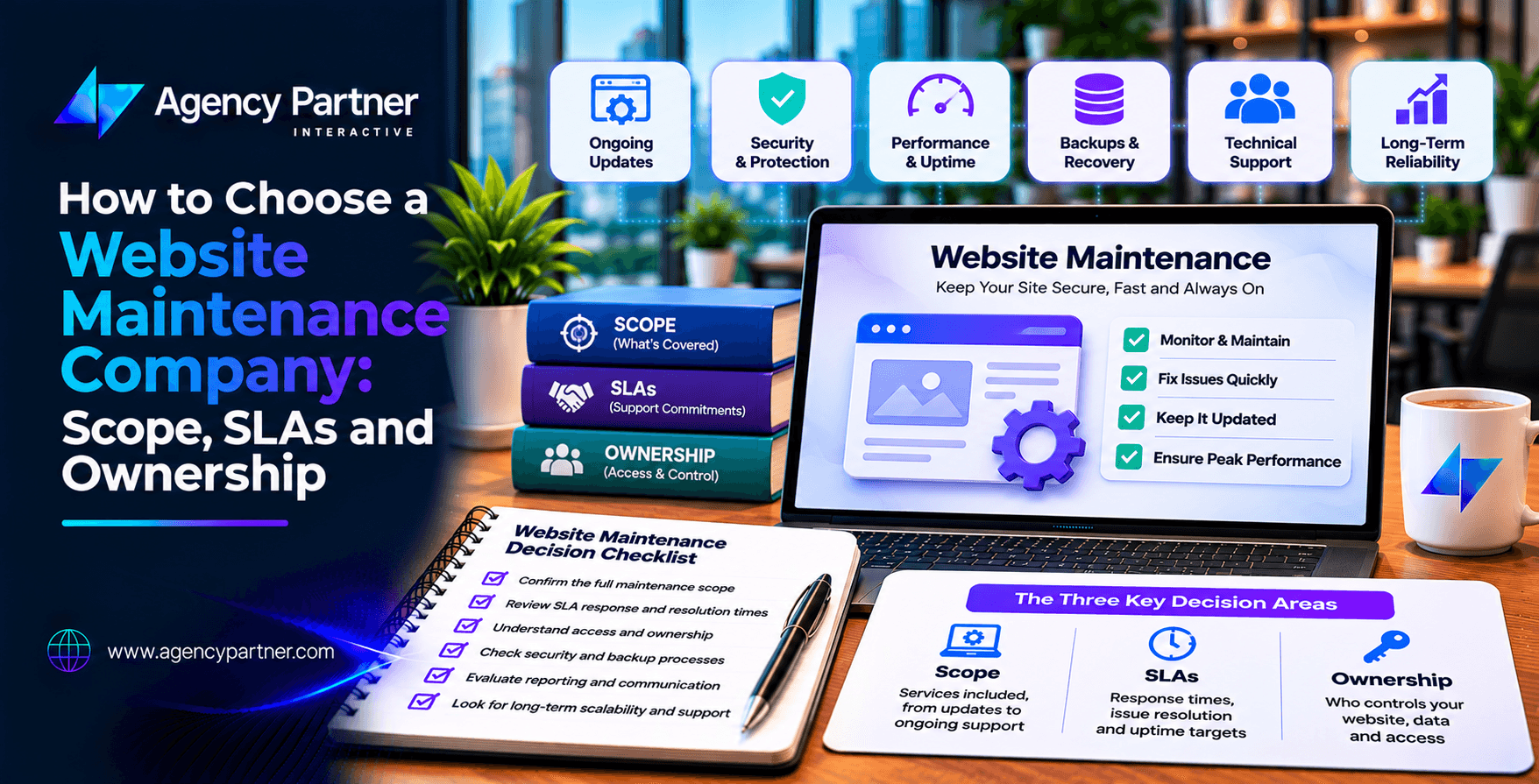
Choosing a website maintenance company means looking beyond monthly prices. A reliable provider should explain what is covered, how quickly it responds, and who controls your website accounts.
A clear agreement should define support hours, issue severity, backup recovery, and work that costs extra. It should also explain how you can change providers. Use a comparison scorecard to assess providers before signing a contract.
Your website is working today. But what happens when it goes down tomorrow? A plugin update might break your contact form. Your checkout could stop processing payments. A security issue may put customer information at risk.
When these problems happen, you need more than a support email address. You need a team that knows your website, understands your business, and has a clear plan to resolve issues. The right website maintenance company can help keep your site secure, functional, and ready for customers.
This guide explains how to compare providers, review service agreements, and protect your business from unexpected support problems.
What Does a Website Maintenance Company Do?
A maintenance provider handles the technical work needed to keep a website running. This often includes software updates, security checks, backups, performance monitoring, and bug fixes.
Some providers also offer content changes, technical SEO support, and design improvements. However, not every company includes these tasks in its standard plan. For example, one provider may update WordPress plugins each month but charge extra to fix problems caused by those updates.
Another may include testing and repairs within its agreement. That’s why you should review the actual deliverables before comparing prices. The best website maintenance services match your platform, business needs, and level of risk.
What Should Website Maintenance Services Include?
Start by identifying the work your website needs each month. A small business website may need routine updates and form testing. An ecommerce store may also require checkout monitoring and payment integration support.
Your provider should explain which tasks happen automatically, which need approval, and which require a separate quote.
Essential Website Maintenance Checklist
- Software updates: Update the CMS, plugins, themes, and supported components.
- Security monitoring: Check for malware, suspicious activity, and known vulnerabilities.
- Backups: Create scheduled copies of website files and databases.
- Restore testing: Confirm that backups can be recovered successfully.
- Performance checks: Monitor speed, uptime, and major website errors.
- Functional testing: Check forms, navigation, checkout, and important integrations.
- Reporting: Share completed work, open issues, and recommended improvements.
- Technical support: Provide a clear process for reporting and resolving problems.
This website maintenance checklist helps you identify gaps in a proposed plan. Ask how often each task is completed and whether the provider documents the results.
Why Should You Review the Website Support Scope?
The website support scope defines what your provider is responsible for. Without clear boundaries, businesses may assume that every website problem is covered. For example, a monthly maintenance plan may include security updates but exclude new landing pages, custom integrations, and major design changes.
These exclusions are not always unreasonable. The problem occurs when they are unclear. Ask the provider to describe routine maintenance, emergency support, and additional development work separately.
Confirm whether troubleshooting caused by third-party services is included. You should also know who approves work outside the agreement. A detailed scope helps both teams avoid disputes and unexpected charges.
What Is an SLA in Website Maintenance?
A service level agreement, or SLA, sets expectations for support. It should explain when support is available, how issues are classified, and how quickly the provider must respond. Two terms matter most: response time and resolution time.
Response time is how long it takes the provider to acknowledge an issue and begin the agreed support process. Resolution time is how long it takes to restore service or resolve the problem under the contract’s definition. These are not the same.
A provider may promise a one-hour response without promising to fix the issue within one hour. Ask for both measures in writing.
How Should Website Support Severity Levels Work?
Not every website issue needs the same response. A broken checkout requires more urgent attention than a minor layout problem. Your SLA should classify problems based on business impact.
Example Website Support Severity Levels
| Severity | Example | Response target | Resolution or recovery target |
| Critical | Website down or checkout unavailable | 1 hour | 4 hours |
| High | Key feature broken with limited workaround | 4 hours | 1 business day |
| Medium | Noncritical form or layout issue | 1 business day | 3 business days |
| Low | Minor content or visual request | 2 business days | Scheduled maintenance window |
These are example targets for comparing proposals, not guaranteed industry standards or Agency Partner Interactive commitments. Confirm whether the clock runs during business hours or around the clock.
Also ask what happens if the provider misses a target. For complex incidents, a recovery target may be more realistic than a guaranteed permanent fix.
How Do You Verify Backup and Recovery Claims?
Backups are essential, but having backup files does not prove that recovery will work. A provider should explain how often backups run, where they are stored, and how long they are kept. Ask whether backup copies are stored separately from the live website.
More importantly, request evidence of restoration testing. A restore test should confirm that the website’s files, database, and important functions work in a recovery environment. The provider should record the test date, result, and any problems found.
Ask about recovery time objectives, which describe how quickly service should be restored. Also discuss recovery point objectives, which describe how much recent data the business may lose. An ecommerce store may need tighter recovery targets than a basic informational website. These details belong in your website maintenance checklist.
Who Should Own Your Website Accounts?
Your business should retain control of its essential digital assets. That includes your domain registration, hosting account, website files, and relevant software licenses. You should also review access to analytics, search tools, payment services, and connected business systems.
A maintenance provider may need administrator access to perform its work. However, access does not need to mean ownership. Where practical, create separate user accounts with permissions suited to each role.
Avoid sharing one administrator password across multiple people. Your contract should explain what happens when the relationship ends. A smooth transition should include agreed files, documentation, and access details. Clear ownership helps prevent vendor lock-in and makes changing providers easier.
What Should Be Excluded From a Maintenance Agreement?
Every maintenance contract has limits. You need to understand them before a problem occurs. Common exclusions may include full redesigns, new custom features, major platform migrations, and third-party subscription fees.
Some plans also exclude malware cleanup, emergency work outside business hours, or repairs to unsupported plugins. Ask whether these tasks are available at an additional cost. The provider should explain how extra work is estimated and approved.
A clear website support scope makes monthly costs easier to predict. It also helps your team decide whether you need a basic maintenance plan or broader development support.
How Much Does Website Maintenance Cost?
Monthly costs depend on website size, complexity, platform, and support requirements. A simple informational website usually needs less work than an ecommerce store with custom integrations. Pricing may be based on a fixed monthly plan, prepaid support hours, or a combination of both.
A lower price is not always a better deal. For example, a basic plan may cover updates but charge separately for emergency repairs. A higher-priced plan may include testing, reporting, and faster support.
When comparing website maintenance services, calculate the full cost of routine work and likely additional requests. Ask about setup fees, emergency rates, minimum contracts, and cancellation terms.
How Do You Compare Website Maintenance Providers?
Choosing a provider should involve more than reading reviews. Ask each company to submit a written proposal using the same requirements. Then score the proposals against your business priorities.
Website Maintenance Provider Comparison Scorecard
| Evaluation factor | Weight | What to assess |
| Maintenance coverage | 25% | Updates, monitoring, testing, and repairs |
| SLA and support | 25% | Response, resolution, and emergency availability |
| Backup recovery | 20% | Restore evidence and recovery targets |
| Ownership and exit terms | 15% | Account control and handover process |
| Reporting and pricing | 15% | Clear reports, exclusions, and total cost |
Score each provider from 1 to 5 for every factor. Multiply the score by its weight and add the results. The highest score is not automatically the best choice, but it gives you a consistent way to compare proposals. A reliable website maintenance company should also provide examples of how it handles urgent issues.
What Questions Should You Ask Before Signing?
Before choosing a provider, ask for a sample maintenance report and support agreement. Review how issues are submitted, tracked, and closed. Ask whether changes are tested on a staging website before going live.
Confirm who handles emergencies when your assigned contact is unavailable. You should also ask how the provider manages third-party plugins, integrations, and security incidents. Finally, discuss the exit process.
A trustworthy partner should be able to explain how your website will be transferred if you decide to leave. These questions help you understand the provider’s real capabilities rather than relying on sales promises.
How Agency Partner Interactive Can Support Your Website
Your website needs ongoing care to remain useful to customers. Agency Partner Interactive offers web development services for businesses that need website improvements, technical development, and support after launch.
The team works with businesses that need responsive websites, custom features, and connected digital systems. When discussing maintenance, ask Agency Partner Interactive to review your platform, technical needs, expected support hours, and service requirements.
A clear proposal can help determine which tasks need routine attention and which require separate development work. Share your platform and website support requirements with Agency Partner Interactive. The team can discuss your website’s needs and possible next steps.
Final Thoughts
Choosing a website maintenance company is about protecting your business, not just keeping software updated. Review the agreement carefully. Confirm the scope, support targets, backup recovery process, and account ownership.
Use a provider scorecard to compare options fairly. The right maintenance partner should give you clear responsibilities, reliable communication, and a plan for handling problems when they occur.
Frequently Asked Questions
1. What maintenance does a website need?
Most websites need software updates, security monitoring, backups, performance checks, and functional testing. Ecommerce websites may also need payment and checkout monitoring. The exact requirements depend on the platform and business operations.
2. What should website maintenance support include?
Support should include a clear request process, defined service hours, issue severity levels, and agreed response targets. The contract should also explain troubleshooting, repairs, reporting, exclusions, and any additional charges.
3. Who should own the website hosting and domain accounts?
Your business should normally control its domain and essential hosting accounts. A provider can receive the access needed for maintenance without becoming the account owner. Ownership and transfer terms should be documented.
4. What is the difference between SLA response and resolution time?
Response time measures how quickly a provider acknowledges and begins handling an issue. Resolution time measures how long it takes to fix the problem or meet the agreed recovery condition. Both should be defined clearly.
5. How often should website backups be tested?
Backup frequency and restore testing should match the website’s risk and rate of change. A busy ecommerce store may need more frequent checks than a static website. Ask for documented recovery tests.
6. How do I compare website maintenance companies?
Compare the work included, SLA targets, backup recovery evidence, account ownership, support availability, and total costs. Use a weighted scorecard and request written proposals so each provider is assessed against the same requirements.