You sold 12 units online. But your POS still shows 12. Your ERP shows 8. Nobody knows which number is right. This is the most common and most expensive inventory problem in ecommerce. And it gets worse with every channel you add.
Retailers that achieve sub-5-minute inventory sync between Shopify and their ERP see a 22% drop in stockouts and a 31% reduction in manual audit labor. The average cost of a failed sync incident is $1,450. That’s not a software problem. It’s a workflow design problem, and it’s fixable.
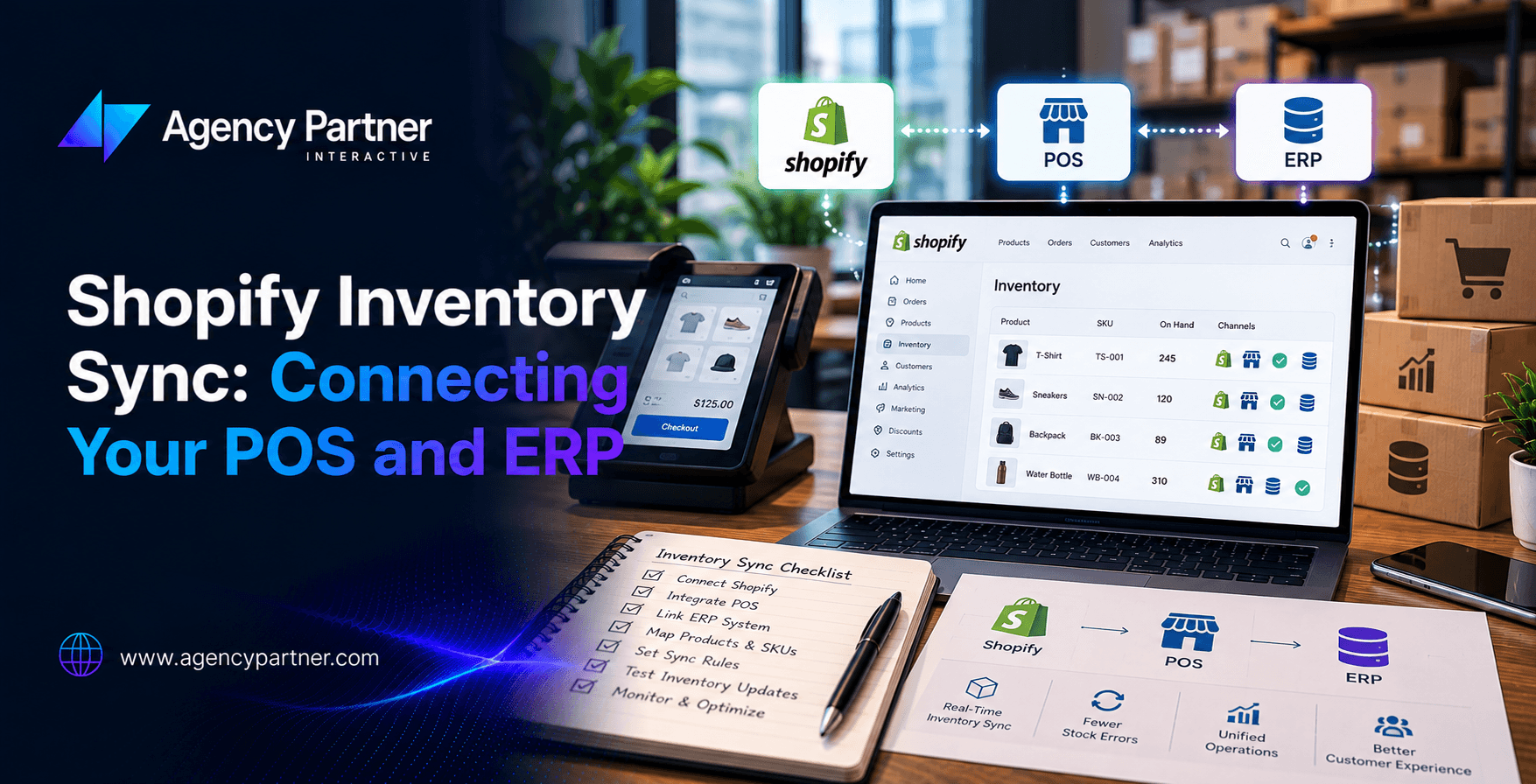
This guide explains how Shopify inventory sync works across POS and ERP systems, where it usually breaks, and how to build a setup that keeps all three in agreement.
Why Shopify, POS, and ERP Need to Sync?
Most growing ecommerce brands run on three systems:
- Shopify handles the online store, product listings, customer orders, checkout, and shipping.
- A POS system handles in-store sales. This might be Shopify POS or a third-party system like Square, Lightspeed, or Clover.
- An ERP (Enterprise Resource Planning) system handles the back office, accounting, purchasing, fulfillment, warehouse management, and financials. Common ERPs include NetSuite, Microsoft Dynamics, SAP, and QuickBooks Enterprise.
When a customer buys something online, Shopify needs to know. When a store associate sells the last unit at the register, the online store needs to know. When the warehouse receives a new shipment, both need to know. And when a customer returns an item, all three need to update. If these systems don’t sync automatically, someone enters data manually. And manual entry means errors.
The Source of Truth Problem
Here’s the first question every team needs to answer before setting up any integration: which system owns the inventory number?
This seems obvious. It isn’t. Most teams assume Shopify is the source of truth because it’s their storefront. But if your ERP manages purchasing, warehousing, and fulfillment, it may actually have the most accurate counts.
Get this wrong and you get what engineers call a “split brain”, two systems each believing they’re correct, overwriting each other’s data, and creating a loop of conflicting updates.
The right answer depends on your setup:
- If you fulfill all orders through Shopify and use the ERP only for accounting, make Shopify the source of truth for inventory quantities.
- If your ERP manages a warehouse, multiple locations, or wholesale orders, make the ERP the source of truth and push quantities to Shopify.
- If you run Shopify POS natively (not a third-party), Shopify handles both online and in-store inventory automatically in a unified admin.
Decide this before you build any sync. One of the most common Shopify ERP integration failures is failing to define the source of truth for products, pricing, inventory, customers, and orders before building the connection.
How Shopify Inventory Sync Works: The Four Key Scenarios?
Once you know which system owns the data, every sync event falls into one of four scenarios. Each one requires a different data flow.
Scenario 1: Online Sale on Shopify
A customer buys two units through your online store.
What needs to happen: Shopify reduces available stock. The ERP receives the order and updates its inventory count. If the POS runs on a different system, it needs to pull the updated count from whichever system is the source of truth.
What breaks here: Batch syncing. If your ERP only pulls from Shopify every few hours, a busy afternoon can result in your store selling units the warehouse has already picked for a wholesale order. A batch sync running on a fixed schedule cannot reflect changes happening on the warehouse floor between sync cycles.
Scenario 2: In-Store POS Sale
A customer buys one unit at your retail location.
What needs to happen: The POS reduces stock at that location. Shopify’s online inventory updates. The ERP logs the transaction.
What breaks here: Location mapping. 42% of UK mid-market retailers experience inventory discrepancies after integration due to poor mapping of ERP allocation logic, especially around reserved versus available stock. If your POS doesn’t map to a specific warehouse or location in Shopify, every in-store sale becomes a ghost transaction that nobody can trace.
Scenario 3: Warehouse Receives New Stock
Your supplier delivers 200 units to your warehouse. The ERP receives the purchase order confirmation.
What needs to happen: The ERP updates its count. Shopify updates on available inventory. POS locations that carry that product update their stock.
What breaks here: Timing. If Shopify doesn’t know the stock has arrived, products stay out of stock on your site for hours after the warehouse is fully stocked. You’re turning away customers for inventory you actually have.
Scenario 4: A Customer Returns an Item
A customer returns a product, either in-store or via mail.
What needs to happen: The ERP determines if the item is resellable. If yes, stock increases. Both Shopify and the POS update. If not, it gets written off without affecting available counts.
What breaks here: Returns are the most manually handled workflow in most businesses. A Shopify return or refund should trigger the appropriate reversal workflow in the ERP, but most integrations handle returns as an afterthought. The result is phantom inventory: stock that shows as available but physically isn’t.
Real-Time vs. Batch Sync: Which One Do You Need?
This is the most important technical decision in any Shopify ERP integration setup. Batch sync runs on a schedule, every hour, every six hours, or once a day. It’s simpler and cheaper to build. It works fine for businesses with low order volumes and minimal overlap between sales channels.
Real-time (webhook-based) sync fires every time something changes. A sale triggers an immediate update. A stock receipt triggers an immediate push. Every system stays current.
For most scaling businesses, real-time sync is the right choice. Here’s why: if you’re running a Black Friday sale and taking 500 orders in an hour, a batch sync running every two hours means your store could sell 500 units of something you only have 200 of. For operations heads managing Black Friday or flash sales, real-time inventory sync between Shopify and ERP is the difference between success and crisis.
Use batch sync if:
- You sell on one channel only (online or in-store, not both)
- Order volume is under 50 orders per day
- No wholesale or B2B orders that share the same inventory pool
Use real-time sync if:
- You sell online and in-store simultaneously
- Your ERP manages a warehouse or multiple locations
- You run time-sensitive promotions or seasonal sales
- You have B2B and B2C orders drawing from the same stock
POS Inventory Integration: The Shopify Native vs. Third-Party Decision
If you use Shopify POS, inventory sync is built in. When you sell something in your store, Shopify updates your online inventory automatically. No middleware. No mapping. No batch window. It’s the simplest path to ecommerce inventory synchronization across your retail and online channels.
If you use a third-party POS (Square, Lightspeed, Clover, or others), you need middleware or a custom integration. The connection typically works through:
- Native app connectors: Pre-built integrations available in the Shopify App Store (e.g., QuickBooks Commerce, Cin7, Brightpearl)
- iPaaS tools: Integration platforms like Zapier, Make, or Celigo that connect systems without custom code
- Custom API integration: Built by a development team directly against Shopify’s and the POS’s APIs
Custom integration offers the greatest flexibility and scalability but requires a larger implementation budget and ongoing maintenance as APIs change. For businesses with unique workflows or legacy systems, it’s often the only way to get the exact sync behavior you need.
Common Shopify Inventory Sync Failures, and How to Avoid Them
- SKU Mismatches: Your Shopify product has the SKU “SHOE-BLK-10”. Your ERP has “SHO-BLACK-10US”. They’re the same shoe. The integration doesn’t know that.
Fix: Document and standardize your SKU taxonomy across all systems before building any integration. 41% of retailers cite lack of standardized SKU taxonomy across systems as the primary cause of sync errors.
- Reserved Stock Not Accounted For: Your ERP might show 100 units available. But 40 are reserved for a wholesale order, 10 are held in quality control, and 5 are defective. The real sellable number is 45. If your sync pushes the raw ERP count to Shopify, you’ll oversell.
Fix: Define “available” clearly in your ERP before syncing. Push only sellable, unreserved stock to Shopify.
- No Monitoring After Go-live: Most teams test their integration once, launch it, and walk away. Shopify ERP integration isn’t properly monitored after go-live, and problems compound silently for weeks before someone notices the counts are off.
Fix: Set up automated alerts for sync failures. Check inventory variance reports weekly. Treat your integration like a live system, because it is.
Is Your Shopify Inventory Setup Ready to Scale?
A Shopify inventory sync that works at 100 orders per month often breaks at 1,000. The systems haven’t changed. The volume has. And the cracks in your mapping, your sync frequency, and your source-of-truth decisions become very expensive very quickly.
If you’re running Shopify alongside a separate POS or ERP and your inventory counts don’t match across systems, the problem won’t fix itself. It gets worse every day you leave it.
The team at Agency Partner Interactive specializes in Shopify development services, including custom POS integrations, Shopify ERP integration builds, and full ecommerce inventory synchronization architecture for scaling brands. If your inventory is telling three different stories, we can help you build a system where all three agree.
FAQs
-
What is Shopify inventory sync?
Shopify inventory sync is the automatic updating of stock levels across Shopify, your POS, and your ERP whenever a sale, return, or stock receipt occurs, without manual data entry.
-
Does Shopify automatically sync with POS?
Yes, if you use Shopify POS. Sales made in-store instantly update online inventory and vice versa. Third-party POS systems require a separate integration to achieve the same result.
-
What is the best way to integrate Shopify with an ERP?
It depends on your business. Native app connectors work for standard setups. iPaaS tools (like Celigo or Make) suit mid-complexity needs. Custom API integrations are best for unique workflows or legacy ERPs that don’t have pre-built connectors.
-
What causes inventory discrepancies between Shopify and an ERP?
The most common causes are SKU mismatches, batch sync delays, reserved stock not being excluded from available counts, and returns not triggering the correct reversal workflow in both systems.
-
How often should Shopify and ERP inventory sync?
For high-volume or multichannel businesses, real-time webhook-based sync is best. For low-volume single-channel operations, hourly or daily batch sync may be sufficient.
-
What is ecommerce inventory synchronization?
It’s the process of keeping stock counts consistent and accurate across every platform where you sell, online store, physical POS, warehouse system, and ERP, so no channel oversells or shows inaccurate availability.